Why Your Product Buttons Are Greyed Out on Sendd
Learn the reason why the CTA (Call to Action) buttons on your store are disabled.
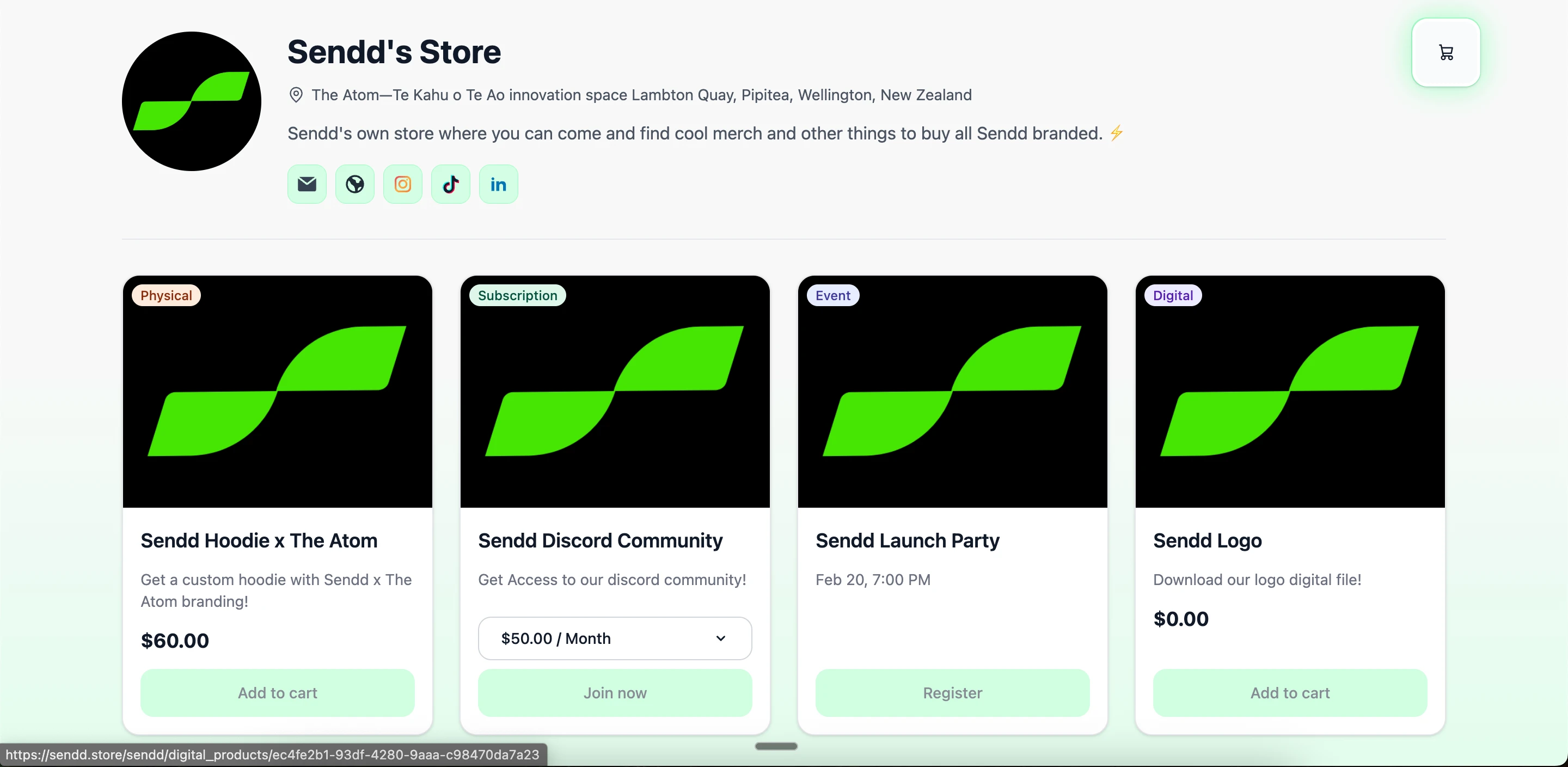
If the Add to Cart, Join Now, or Register buttons on your Sendd store are greyed out, it means your store is not yet connected to a payment method.
Your products are visible, but customers can’t complete a purchase until payments are set up.
What this looks like
On your live Sendd store, product cards appear normally, but the action buttons are disabled and cannot be clicked.
Why this happens
Sendd automatically disables checkout buttons when:
- No payment provider (such as Stripe) is connected.
- Your Stripe setup is incomplete or still pending.
- This prevents customers from making purchases when payments aren’t ready.
How to enable purchases
Option 1 — From Get started
- In your Sendd dashboard, go to Get Started.
- Under Setting up payments (optional), click Link Stripe.
- Complete the Stripe onboarding flow.
- Return to Sendd — your buttons will now be active.
Option 2 — From Settings
- Open Settings in the left-hand menu
- Go to the Stripe Account section
- Connect and complete your Stripe setup
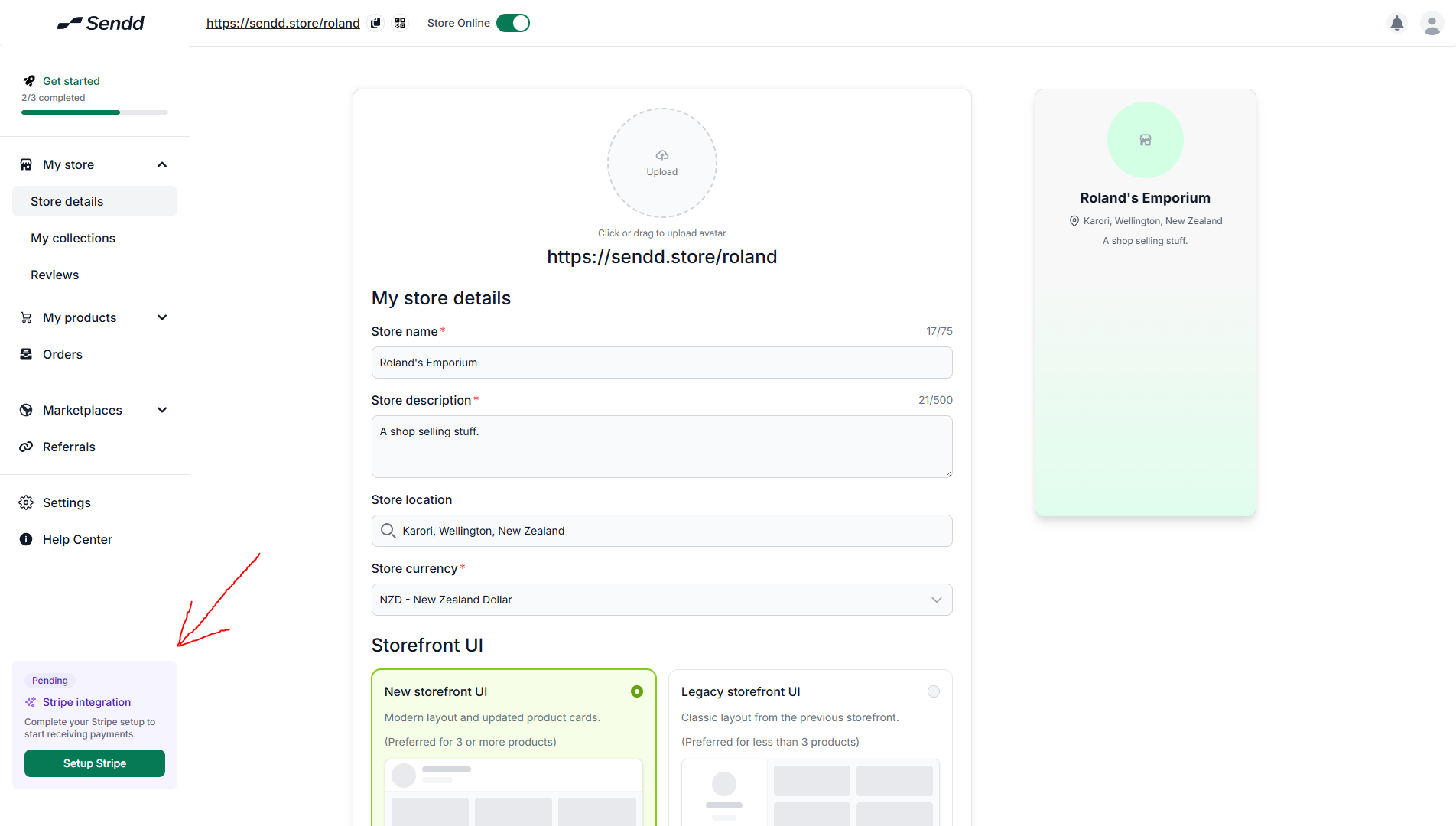
If Stripe says “Integration Pending”
If you see a notice like this in your dashboard, Stripe still needs something from you:
Common missing steps include:
- Identity verification
- Business details
- Bank account information
Click Complete Integration, finish the required steps, and refresh your Sendd dashboard.
How to check it worked
Open your store link in a private / incognito window.
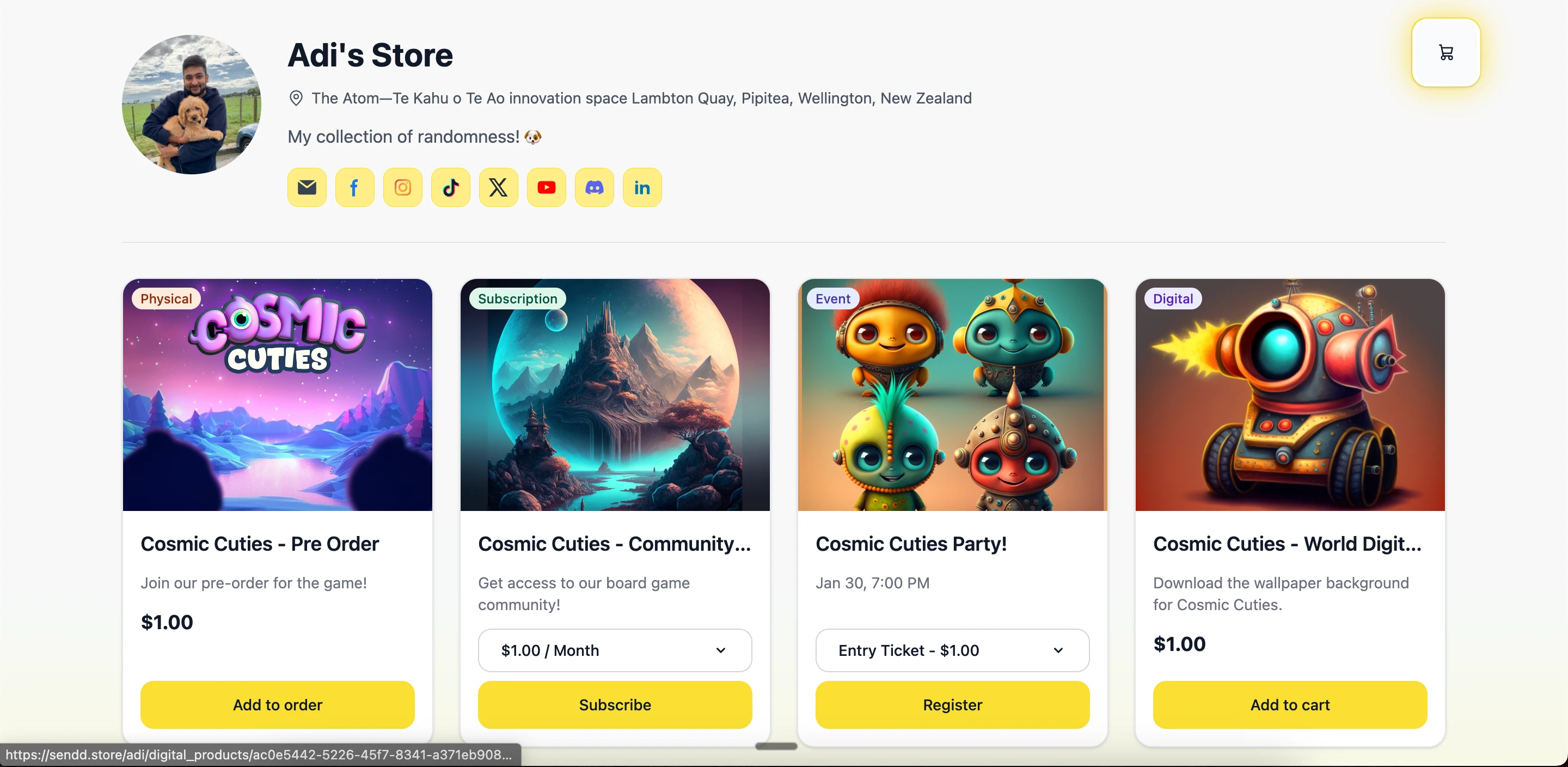
If everything is set up correctly, your products will now show:
- Add to cart
- Join now
- Register
with fully clickable buttons.
If your buttons are still greyed out after completing Stripe setup, try refreshing your dashboard or logging out and back in.